# User settings
To view or modify your user settings, click on the icon next to your name at the top right of the screen. A window will appear with 3 tabs:
- Account
- About us
- Logout
# User account section
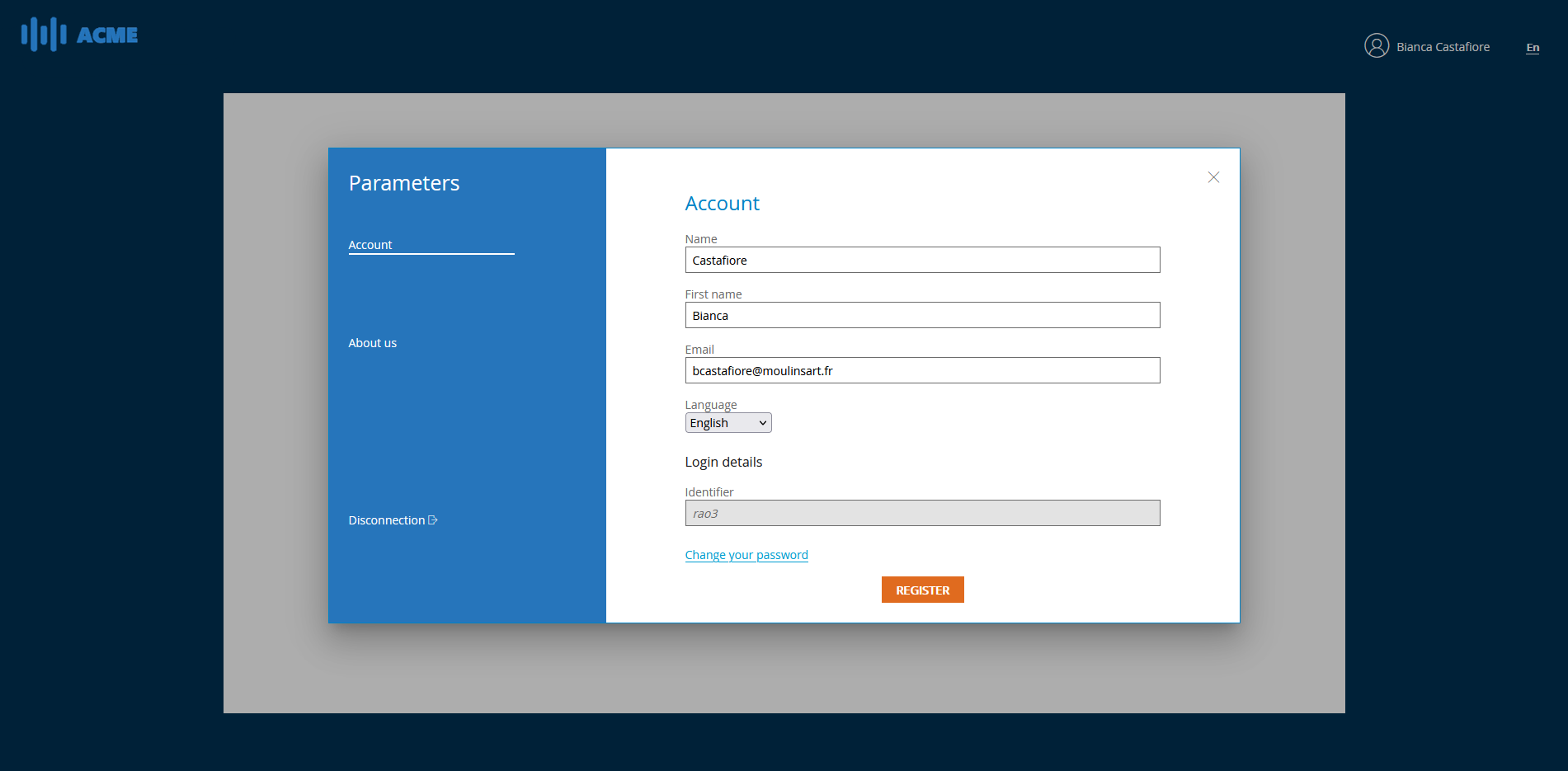
The user account section allows you to find your login (not modifiable) and to edit your personal information such as
- Your name
- Your first name
- Your email
- Your language
You can also change your password by clicking on the Change your password link.
# Change password section
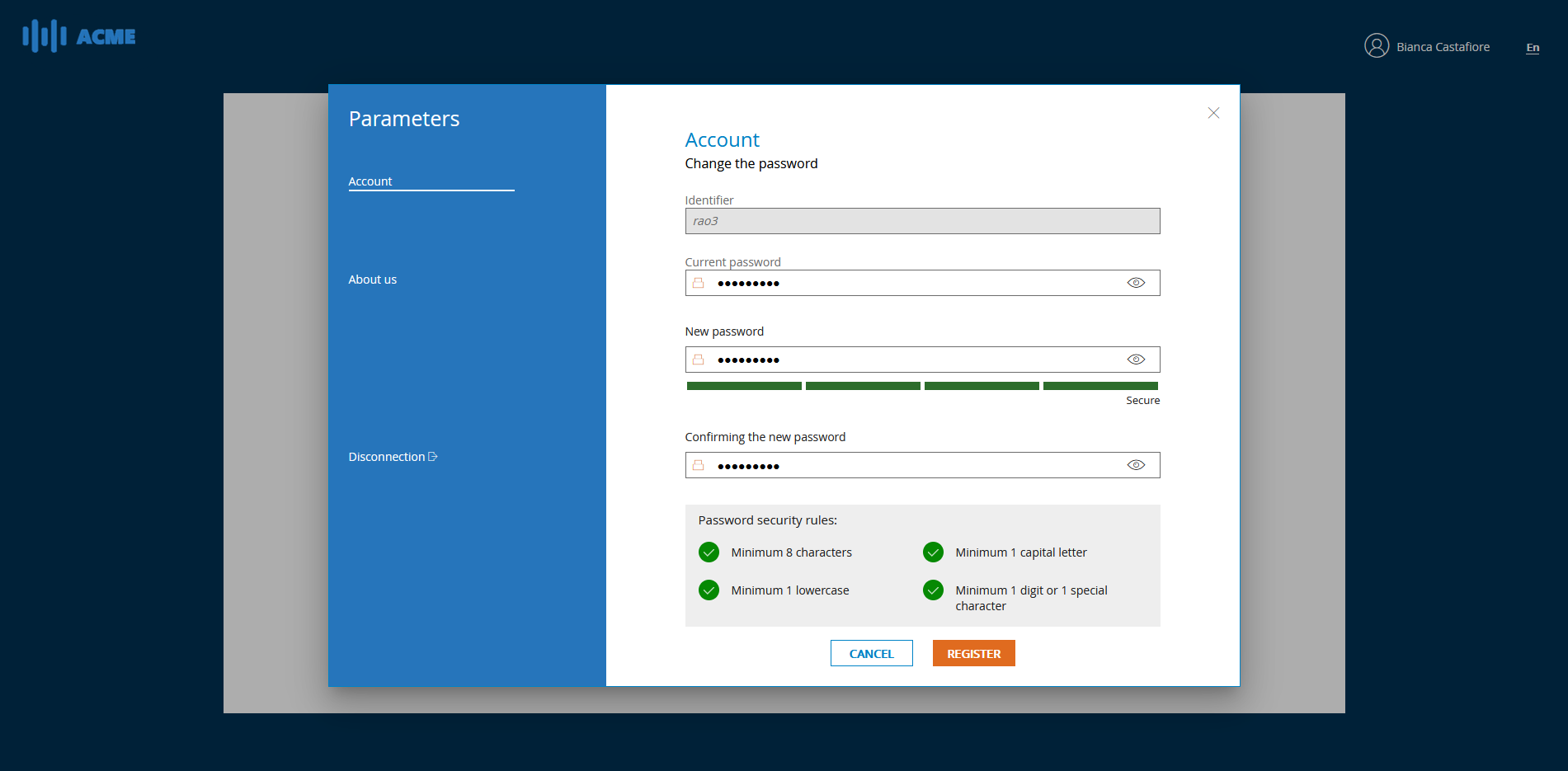
To change your password, all you have to do is enter your password and then enter your new password twice while respecting the security rules indicated.
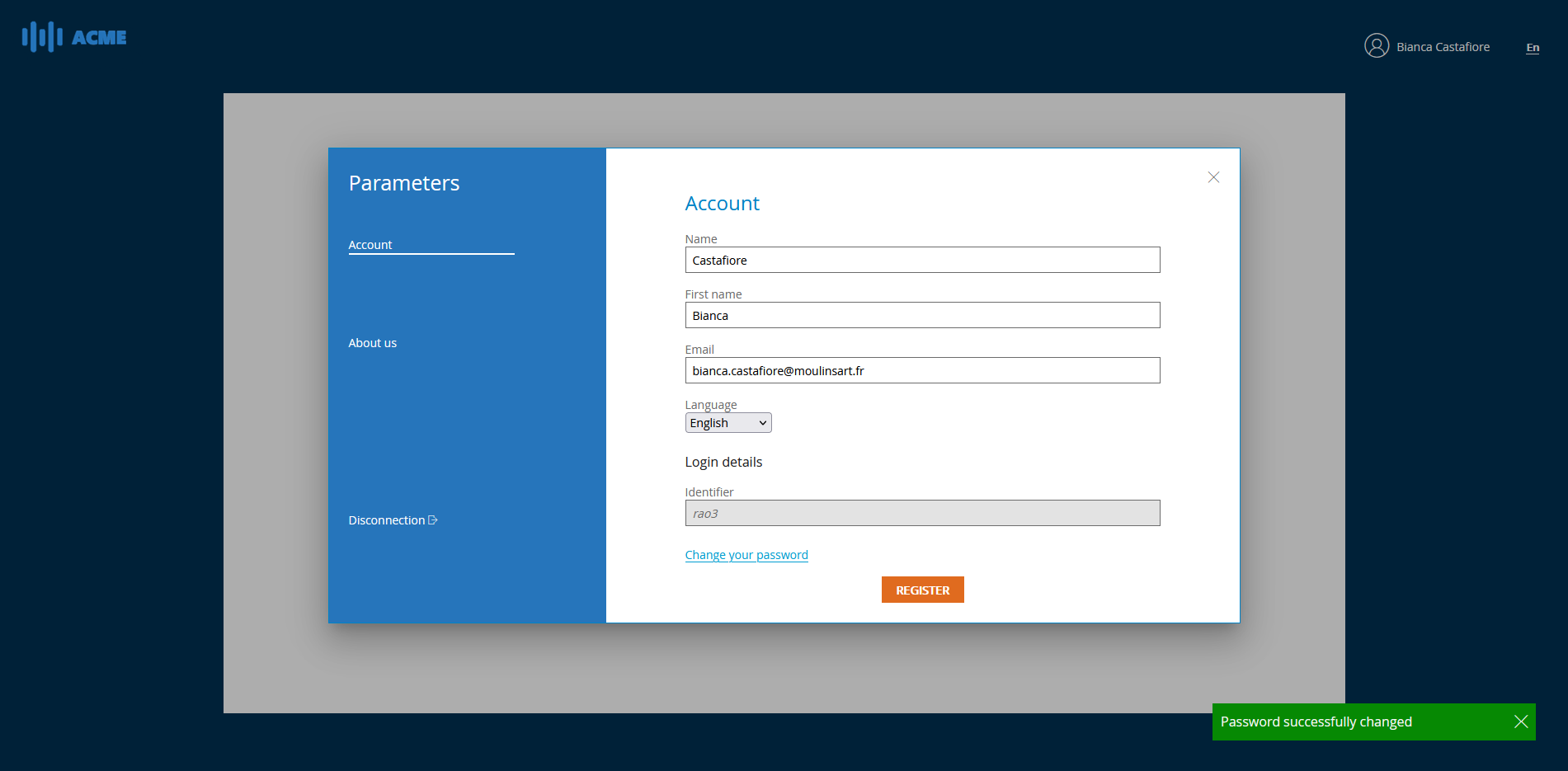
Once you have completed all the fields, click on SAVE. You will receive a notification that your new password has been properly set.
# Password change validated
# Logout
To log out of the platform, click on the icon next to your name at the top right of the screen. A window will appear with 3 tabs:
- Account
- About us
- Logout
# User account section
Click on the Logout button and confirm to log out.