
# Other HR documents verification
✔️ Pre-requisites
For other HR documents to be taken into account, you must have the Annexes option on the company concerned. To benefit from this option, contact your administrator.
The other HR documents can only be sent to employees for whom at least one pay slip has already been validated and distributed.
# Access the verification module for a given payroll
If the VERIFICATION module is activated and you have filing rights on the relevant company, once your flow of other HR documents has been filed via the [DROPZONE] module (../payslips/payslips-deposit), after preparation, your flow will have to be verified and confirmed before you can proceed to the next step. The user(s) with the Verification role will automatically receive an email indicating that there are documents awaiting verification.

# Pending verification notification email
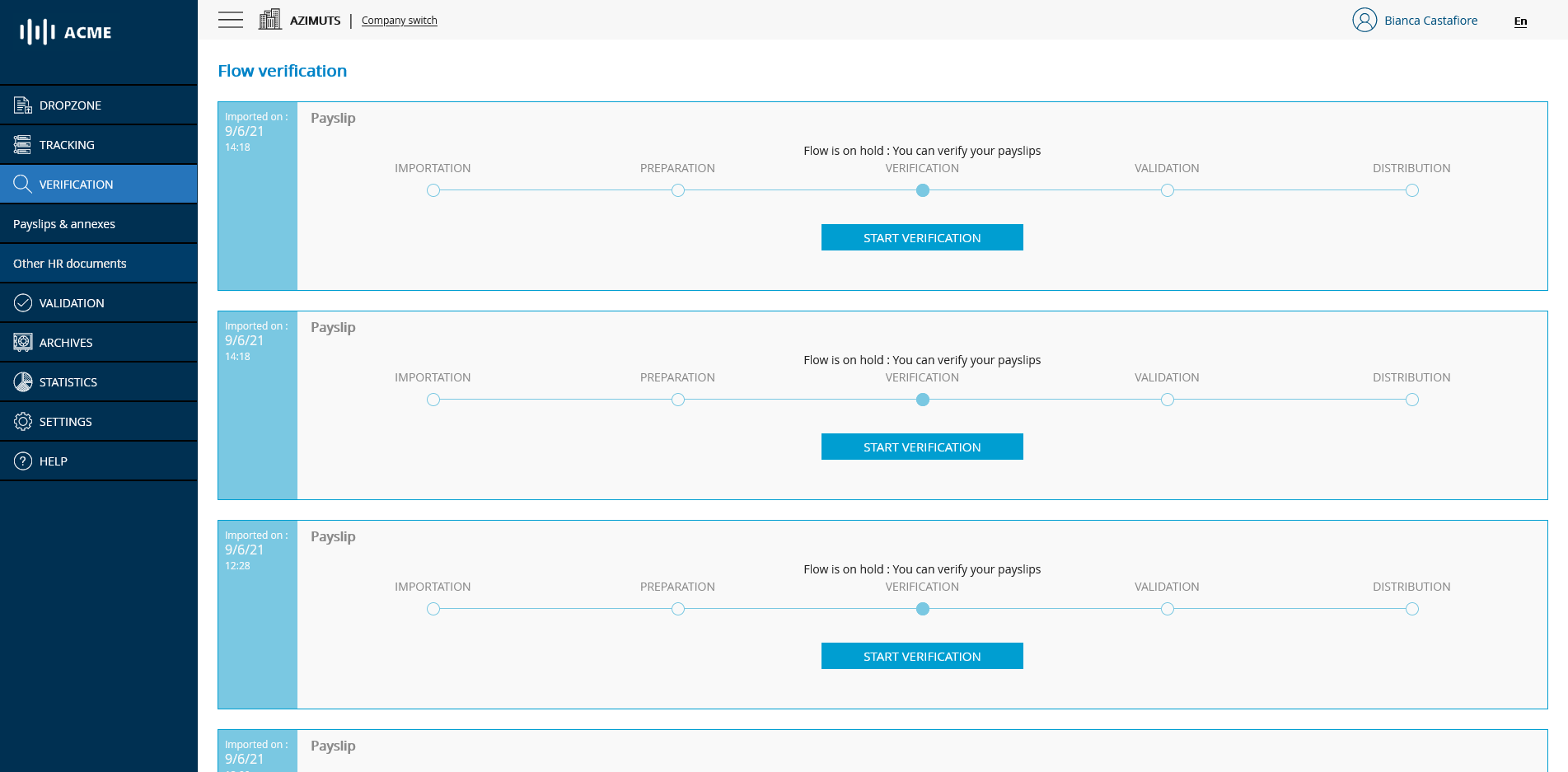
Click on the link in the email or log in directly to the portal and click on the VERIFICATION module to access the list of feeds awaiting verification.
# List of flows to be verified
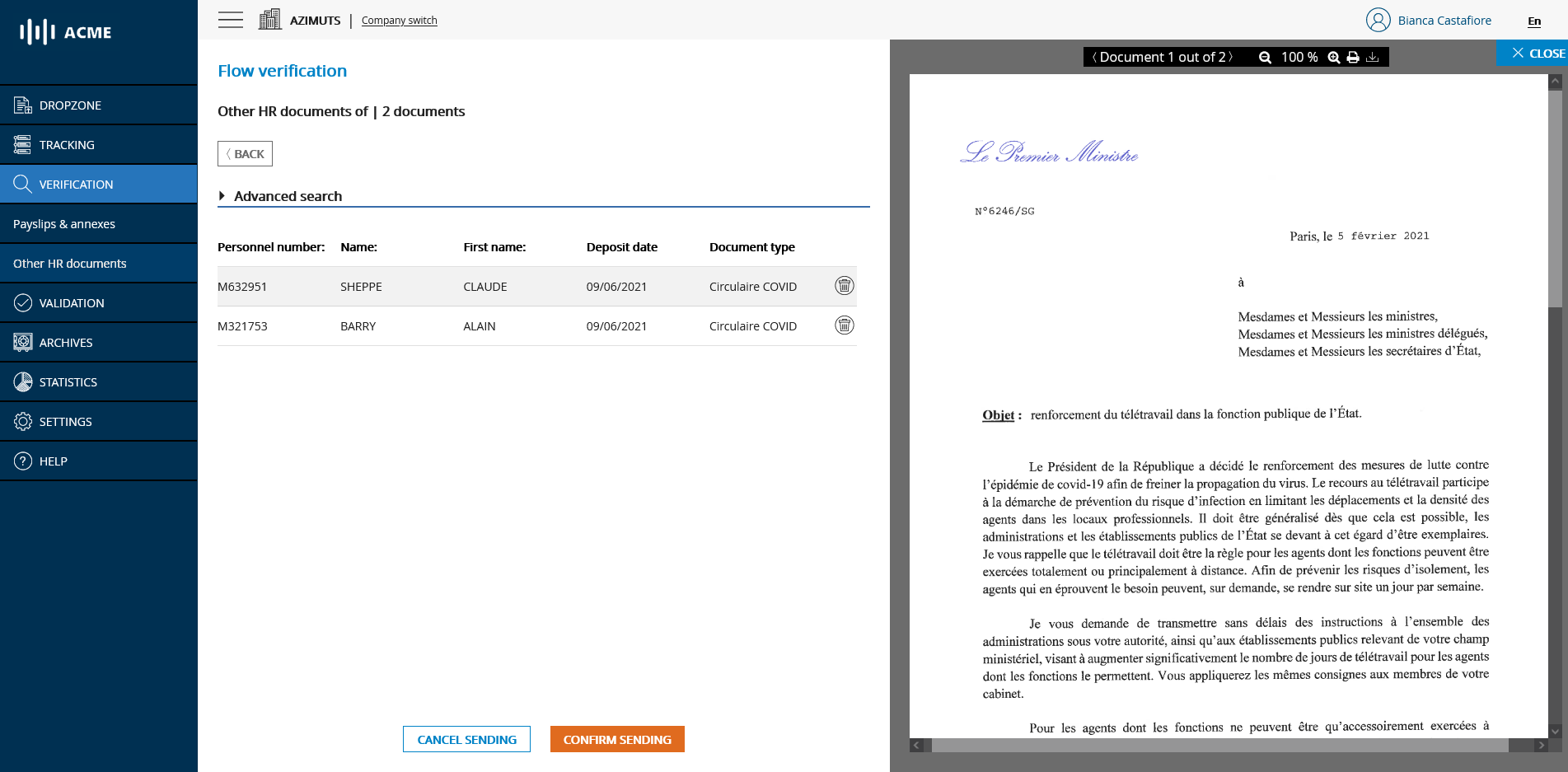
To proceed with the verification of a flow, simply click on the START VERIFICATION button of the flow you wish to process. This will take you to the document verification page.
# Main verification page
# Remove other HR documents
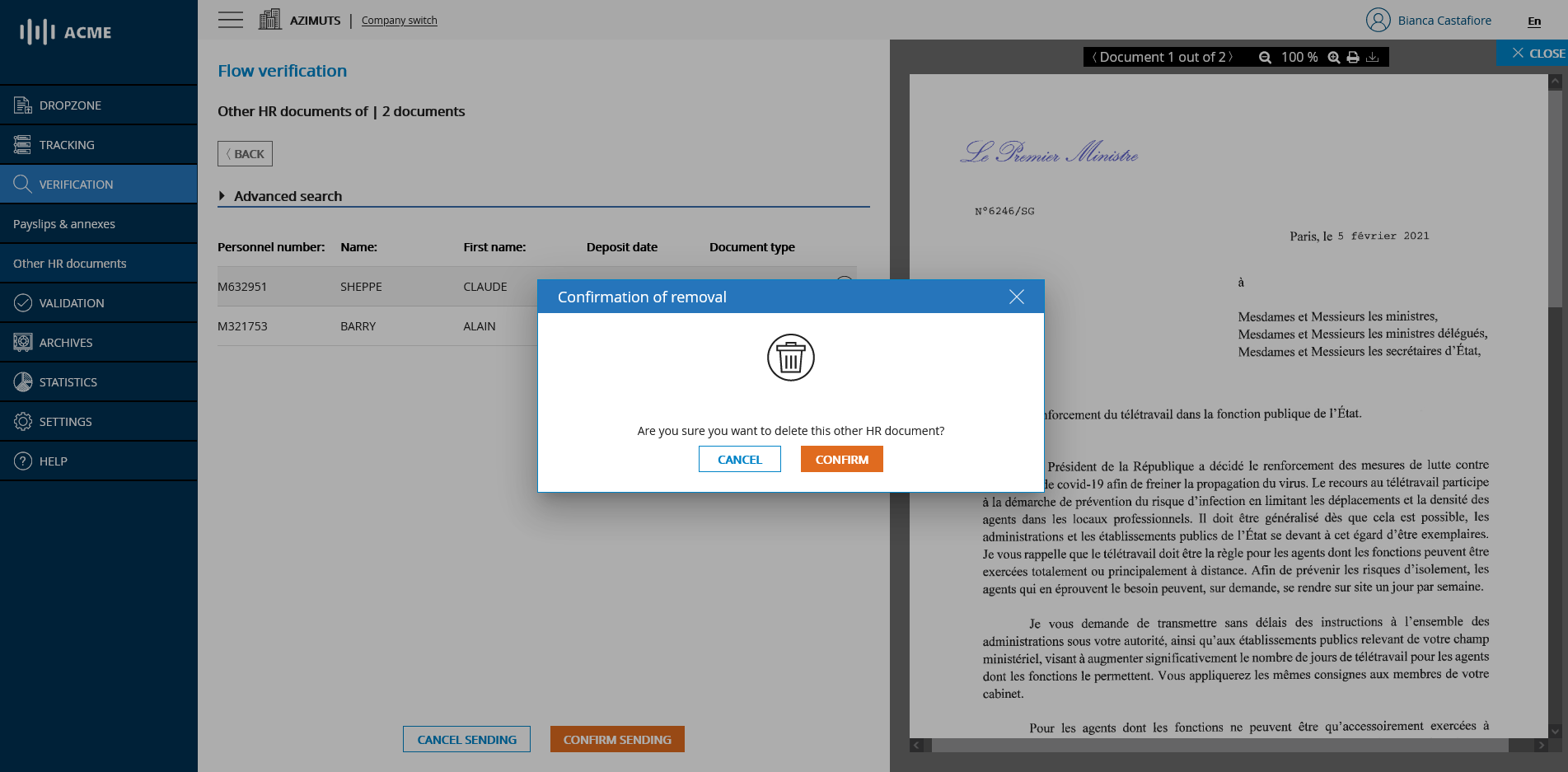
You can remove a document from the feed so that it is neither archived nor distributed by clicking on the trash can icon and then confirming the removal.
# Deletion of an other HR document
# Cancel or confirm the sending
Once your flow is checked you have two choices:
- Either your flow is correct and you want to validate it to go to the next step: In this case, click on the CONFIRM button
- Or you want to cancel the sending of your feed: In this case, click on the CANCEL button